





You have changed the price of the book in the store. The showcase on the home page still writes the old price. Will you need to edit the same product that appears in two places twice? A MVC (Model–View–ControllerThe answer to the project can be found on the road where product information is watched from the store. Let's find out how a product card is drawn first. Then let's move it to the home page along with the current store data.
Think of it as they follow with a pen while reading. If the card stands in the wrong place, start from the appearance. Open the same product on the panel if the card is empty for any time. Is there the time registered? If you are registered, search which areas were given to the template. Write “30 days” to the middle of the template appears that the product was corrected. You will see the same text when you open seven days of the next day. The following example was simplified to show reading a template. Domain names belong to the driver. In your own theme, follow the areas and spells already used in the file.
There is a simple way to understand this in the trial copy. Add a short word that you will temporarily recognize on the header of your edited card. Open the home page, category list and product detail in order. The word out on which page? If only appeared on the main page there is a tip on your hand. The look you’re looking for comes from another file. If all three are output, then this time also comes from the common card. You have learned what it is used. You don’t need to guess how many pages of your small arrangement will affect. Remove the word you add when you finish the trial.
Sometimes you have found the right file but the word you are looking for is not going on in the code. For example, the author “Add to the skin” calls a value from translation in the file. What you want to edit may take shorter look at the opposite in the language file. If you are interested in where the button stops in the card, follow the links and layout labels surrounding it. The same Two separate questions of the button take you to two separate places.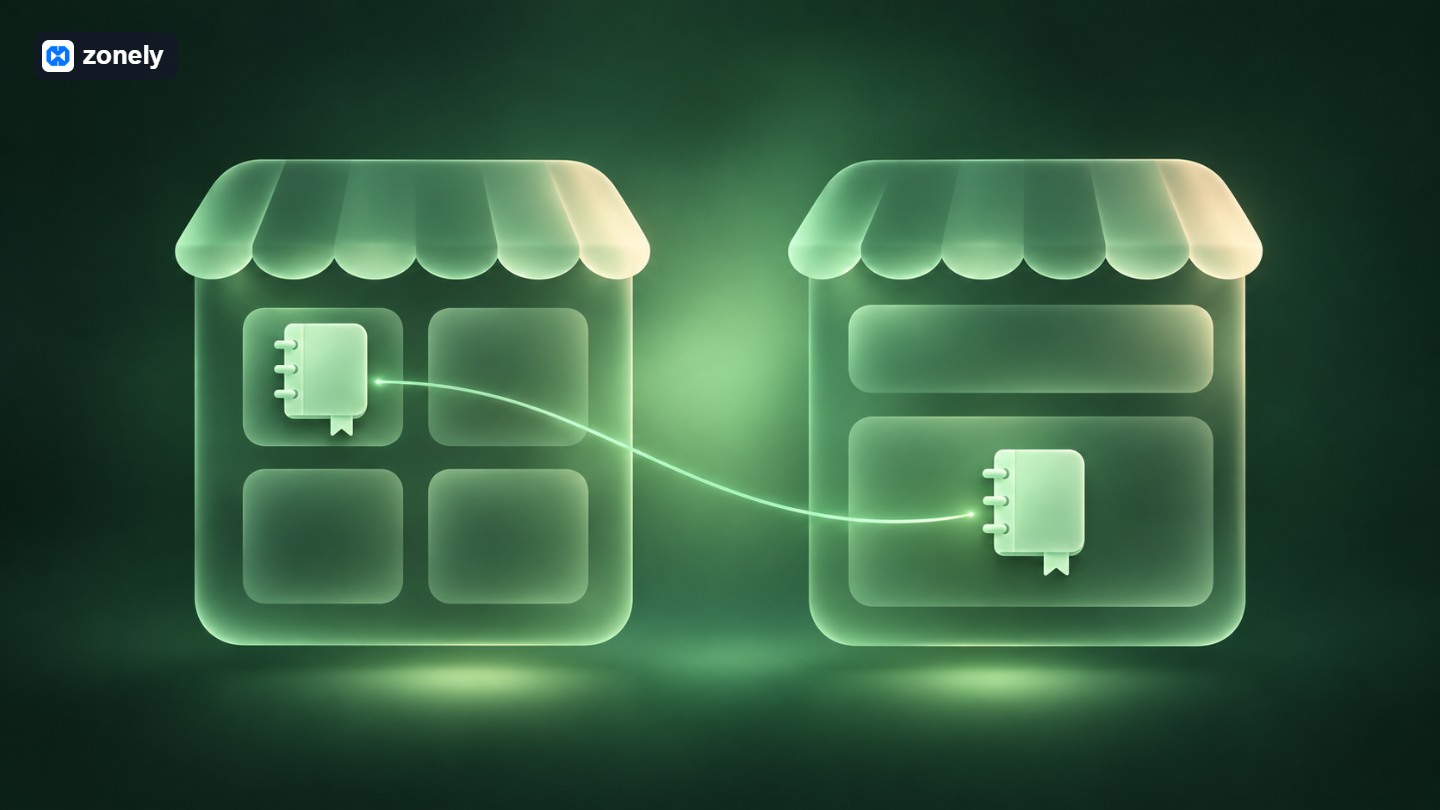 Let's say, you will open a place on the main page of your stationery site, "Select this week". If you open the store in the browser and copy the HTML of three products at first glance you will get the desired image. The next day the book will remain the price of the d at the display when you make a discount. What you want is to read from the same registration on two pages of the product. When you remove the product from the publication in the store, you will receive the image you want at first sight. not to get up from the showcase.
First, check out what data the home page has received. Some themes offer outstanding products as a ready-made section. If there is such part, you can be enough to add it to the page and choose products from the catalog. Find the code that prepares the list of stores in your own MVC app. How do you choose products that can be shown to the visitor? Discounted price, currency and detail page address Where to buy? The controller of the home page can use the same catalog code and give them the products that will show in the showcase.
For example, the work on the controller side can be summarized by two lines. The function names here represent. The catalog process in the first line is that the visitor can see, it brings up to three products displayed to show on the showcase respectively. The second line gives this list the name we will reach from the template.
After a week, open the difference between your copy with the source file when one asked “When price was down?”. Some panels this screen Template Changes He says. If you are viewing the files with Git, you can make the same comparison on the project history. Read along the removed and added lines. If two lines have changed in the common product card, you can now explain why both the store changes multiple. If you want to get back the layout on the window only find out which file is the change first. The internal layout of the common card can be two separate editing. Whether you have added a new delivery description to a core update product card. Your private card may still be based on the previous version of the source. Some theme managers can use this file Former Templates Shows in the list. If your site leaves you file tracking, you can see the same difference by comparing the product card with your own copy on the current theme package. Even if everything from outside looks properly, the new delivery area may be missing on your old card.
What you want to protect in our example can be described with one sentence. “The urea will stay on the price.” Store the copy of the old file, find the delivery line that the new source adds and update the corresponding file. If the new version has returned to its former order, apply your own small editing on the new structure. If you put back as it is old file, then the delivery description also can disappear.
Don’t leave the last control editor. Open the store like player, go to product detail from the card and read a long-name package on the phone. If you can see the price, time and new delivery description in the same product, you can now show what line you do for one of your team.
Driving permission of a product card
MVC tells a page with three responsibilities. The model represents the information and rules related to it. The registration and duration of the product in the store example is on this side. The controller meets the incoming request, found the correct product and prepares the data required to the page. The appearance puts the incoming header, price and time to the player. The theme template When you open, you are mostly at this end.Think of it as they follow with a pen while reading. If the card stands in the wrong place, start from the appearance. Open the same product on the panel if the card is empty for any time. Is there the time registered? If you are registered, search which areas were given to the template. Write “30 days” to the middle of the template appears that the product was corrected. You will see the same text when you open seven days of the next day.
What do you touch when changing a line?
The following example was simplified to show reading a template. Domain names belong to the driver. In your own theme, follow the areas and spells already used in the file.<article class="paket">
<h2>{{ urun_adi }}</h2>
<p class="fiyat">{{ fiyat }}</p>
<p class="sure">{{ sure }}</p>
</article>The file that appears correctly may be plotting incorrect card
You took the time up, you’ve eaten the page and nothing couldn’t go. I checked where I looked at the first product here. On the home page, the card opened in the store can be very similar to each other, if you see it in the “They come out” section. There are even the same product name and the same price in two. If the person who writes the theme used two separate templates for them, you can look like this You can track the payment while editing one.There is a simple way to understand this in the trial copy. Add a short word that you will temporarily recognize on the header of your edited card. Open the home page, category list and product detail in order. The word out on which page? If only appeared on the main page there is a tip on your hand. The look you’re looking for comes from another file. If all three are output, then this time also comes from the common card. You have learned what it is used. You don’t need to guess how many pages of your small arrangement will affect. Remove the word you add when you finish the trial.
Sometimes you have found the right file but the word you are looking for is not going on in the code. For example, the author “Add to the skin” calls a value from translation in the file. What you want to edit may take shorter look at the opposite in the language file. If you are interested in where the button stops in the card, follow the links and layout labels surrounding it. The same Two separate questions of the button take you to two separate places.
How do we carry products on the store to the home page?
Let's say, you will open a place on the main page of your stationery site, "Select this week". If you open the store in the browser and copy the HTML of three products at first glance you will get the desired image. The next day the book will remain the price of the d at the display when you make a discount. What you want is to read from the same registration on two pages of the product. When you remove the product from the publication in the store, you will receive the image you want at first sight. not to get up from the showcase.First, check out what data the home page has received. Some themes offer outstanding products as a ready-made section. If there is such part, you can be enough to add it to the page and choose products from the catalog. Find the code that prepares the list of stores in your own MVC app. How do you choose products that can be shown to the visitor? Discounted price, currency and detail page address Where to buy? The controller of the home page can use the same catalog code and give them the products that will show in the showcase.
For example, the work on the controller side can be summarized by two lines. The function names here represent. The catalog process in the first line is that the visitor can see, it brings up to three products displayed to show on the showcase respectively. The second line gives this list the name we will reach from the template.
secki = katalog.vitrin_urunleri(ziyaretci, limit=3)
return sayfa_goster("ana-sayfa.html", vitrin_urunleri=secki){% if vitrin_urunleri %}
<section>
<h2>Bu haftanın seçkisi</h2>
{% for urun in vitrin_urunleri %}
{% include "urun-karti.html" %}
{% endfor %}
</section>
{% endif %}<article>
<h3><a href="{{ urun.detay_adresi }}">{{ urun.ad }}</a></h3>
<p>{{ urun.gosterim_fiyati }}</p>
</article>What question does Template Changes answer?
Open the active theme in a system with the theme editor. If you are working with files, find the template that the store looks in the project folder. A similar card can also be on another theme. It makes your business easier after you look at the exact way of the file and keep running before editing.After a week, open the difference between your copy with the source file when one asked “When price was down?”. Some panels this screen Template Changes He says. If you are viewing the files with Git, you can make the same comparison on the project history. Read along the removed and added lines. If two lines have changed in the common product card, you can now explain why both the store changes multiple. If you want to get back the layout on the window only find out which file is the change first. The internal layout of the common card can be two separate editing.
What to do with the file falling on the list of old templates?
Whether you have added a new delivery description to a core update product card. Your private card may still be based on the previous version of the source. Some theme managers can use this file Former Templates Shows in the list. If your site leaves you file tracking, you can see the same difference by comparing the product card with your own copy on the current theme package. Even if everything from outside looks properly, the new delivery area may be missing on your old card.What you want to protect in our example can be described with one sentence. “The urea will stay on the price.” Store the copy of the old file, find the delivery line that the new source adds and update the corresponding file. If the new version has returned to its former order, apply your own small editing on the new structure. If you put back as it is old file, then the delivery description also can disappear.
Don’t leave the last control editor. Open the store like player, go to product detail from the card and read a long-name package on the phone. If you can see the price, time and new delivery description in the same product, you can now show what line you do for one of your team.






“I give it 10 out of 10. Even other software doesn’t offer this many features.”